
Cinematic Wedding Video Editing – Step-by-Step Workflow Guide
Ek cinematic wedding film kaise edit hoti hai? Is guide me poora workflow step by step hai — footage backup se lekar music, multicam sync, rough cut, speed ramps, colour grading, sound aur export tak. Ye wahi process hai jo Quick Art Photography Academy ke studio me real wedding projects par use hota hai.
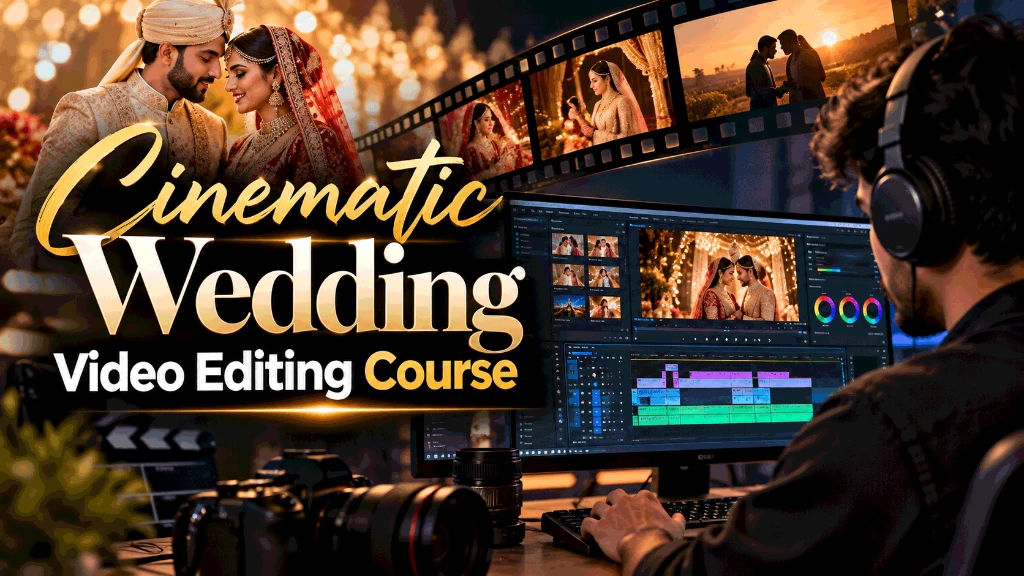
Cinematic wedding film kya hota hai?
Traditional wedding video poori shaadi ko time ke order me dikhata hai. Cinematic wedding film ek chhoti kahani hoti hai: music, emotions aur best moments ko is tarah joda jata hai ki dekhne wala 3–6 minute me poori shaadi ki feeling le le. Isme usually ye deliverables hote hain:
- Teaser – 45–90 second, social media ke liye
- Highlight film – 3–6 minute, music par
- Reels – 9:16 vertical, 15–60 second
- Full film / documentary edit – rituals ke saath lamba version
Neeche wahi workflow hai jo hum studio me real projects par follow karte hain.
Step 1: Footage backup aur folder setup
Edit shuru karne se pehle har card ko do alag hard disk par copy karein. Folder ka structure fix rakhein: Event → Camera → Card (jaise 02_Haldi/CamA/Card01). Isse multicam sync aur client revisions dono aasaan ho jate hain.
Kitni storage lagegi, ye pehle hi nikal lein: wedding storage calculator.
Step 2: Pehle music, phir kahani
Cinematic film ki speed aur mood music se aata hai. Pehle 1–2 track final karein, phir unhe parts me baantein: shuruaat (preparation), rituals, emotional moments, celebration aur ending. Har part ke liye best shots ki list banayein. Vows, speech ya family ke dialogues ko kahani ke "voice" ki tarah use karein.
Step 3: Multicam sync aur audio
Sab cameras aur alag recorder ki audio ko ek timeline par waveform ya timecode se sync karein. Premiere Pro me multicam sequence, aur EDIUS me multicam mode se camera angles switch karna fast hota hai. Dialogue ki audio sabse saaf source se lein.
Step 4: Rough cut – selects aur structure
Saari footage dekh kar sirf achhe shots (selects) ek alag sequence me rakhein. Phir music ke beat par rough cut banayein: wide shot se jagah dikhayein, close-up se emotion. J-cut aur L-cut (audio pehle ya baad me) se scenes natural tarike se judte hain. Is stage par colour ya effects par time na lagayein.
Step 5: Fine cut – speed ramps aur slow motion
Ab cuts ko tight karein. 50/60 fps me shoot hua footage 25 fps timeline par slow motion me smooth chalta hai. Speed ramping (normal → fast → slow) ko music ke drop par rakhein. Transitions kam use karein — zyadatar seedha cut hi sabse cinematic lagta hai.
Ye tools step by step seekhne ke liye: free Premiere Pro tutorial in Hindi (lesson 19–21: time remapping aur slow motion).
Step 6: Colour correction, phir grading
Pehle correction: white balance, exposure aur sab cameras ka colour match. Uske baad grading: film ka look (warm, pastel, moody). Skin tone ko natural rakhein — vectorscope par skin tone line ke paas. DaVinci Resolve is kaam ke liye sabse popular hai.
Step 7: Sound design
Achhi film me awaaz utni hi zaroori hai jitna picture. Dialogue ke time music ko neeche (duck) karein, taaki baat saaf sunai de. Ambience (dhol, crowd, hawa) aur halke sound effects scene ko zinda karte hain. Ending par music ko beat par khatam karein, beech me na kaatein.
Step 8: Titles, export aur delivery
Simple titles rakhein (couple ka naam, date, jagah). Highlight ko 16:9 me aur reels ko 9:16 me export karein — sahi size ke liye aspect ratio calculator. YouTube ya client delivery ke liye sahi bitrate chunein: bitrate calculator. Final file ka backup aur project files bhi save rakhein.
Aam galtiyan
- Bina music finalize kiye editing shuru karna
- Har cut par transition lagana
- Slow motion ka zyada use — har shot slow nahi hona chahiye
- Alag cameras ka colour match na karna
- Dialogue ke upar music tez rakhna
- Sirf ek hard disk par footage rakhna
Ye workflow practically kahan seekhein?
Free me shuru karne ke liye video editing tutorials dekhein. Mentor ke saath real wedding footage par seekhna ho to Siwan campus ka cinematic wedding video editing course (14-week Master Class) dekhein, ya ghar baithe online cinematic editing course in Hindi.
Frequently Asked Questions (FAQs)
1. Cinematic wedding film aur traditional wedding video me kya fark hai?
Traditional video poori shaadi ko order me dikhata hai (1–3 ghante). Cinematic film music aur emotions par based ek chhoti kahani hoti hai — highlight 3–6 minute, teaser 1 minute — jisme sirf best moments hote hain.
2. Cinematic editing ke liye kaunsa software best hai?
Premiere Pro cinematic cutting aur speed ramps ke liye, DaVinci Resolve colour grading ke liye, aur EDIUS traditional multicam mixing ke liye. Bahut se studios teeno ka use karte hain.
3. Ek wedding highlight edit karne me kitna time lagta hai?
Footage aur experience par depend karta hai. Naye editor ko footage dekhne, music choose karne, rough cut, grading aur sound me kai din lag sakte hain; practice aur templates se time kam hota hai.
4. Ye workflow practically kahan seekh sakte hain?
Siwan campus me 14 hafte ka Master Class (real wedding footage par), ya ghar baithe online Cinematic Wedding Editing course (Hindi me).
Learn From Anil Sharma — Lead Mentor
Veteran Wedding Filmmaker & Video Editing Trainer
Anil Sharma
Founder & Mentor · Quick Art Photography Academy
पिछले 10+ वर्षों से मैंने हज़ारों wedding films, commercial teasers और cinematic projects direct और edit किए हैं।
हमारे Master Class में मेरा मुख्य फोकस प्रत्येक student की individual timeline को live review करना और client-pleasing editing sense develop करना है।
Start Your Wedding Editing Journey
Wedding Video Editing course को एक high-income professional creative career की तरह सीखें।
Frequently Asked Questions (FAQs)
हमारे Offline Cinematic Wedding Video Editing Course और Video Editing Classes in Siwan के बारे में छात्रों द्वारा सबसे अधिक पूछे जाने वाले प्रश्न:
1. What is covered in the Offline Cinematic Wedding Video Editing Course?
इस कोर्स में complete wedding post-production pipeline सिखाई जाती है: EDIUS Pro में fast traditional & multi-cam cutting, Adobe Premiere Pro में cinematic storytelling, speed ramping & beat sync, DaVinci Resolve में Hollywood-grade color grading और Fusion VFX titles।
2. Why choose Video Editing Classes in Siwan at Quick Art Photography Academy?
Quick Art Photography Academy बिहार और पूर्वांचल का एकमात्र ऐसा संस्थान है जहाँ प्रत्येक छात्र को dedicated RTX GPU 4K वर्कस्टेशन, 500+ GB असली wedding raw footage, अनिल शर्मा सर की व्यक्तिगत मेंटरशिप और बाहर के छात्रों के लिए 100% Free Hostel (food extra) / Room Stay मिलता है।
3. How does this Wedding Video Editing course differ from online tutorials?
YouTube ट्यूटोरियल्स केवल थ्योरी सिखाते हैं जहाँ गलतियों पर कोई फीडबैक नहीं मिलता। हमारे offline कोर्स में आप रोज़ाना 8 से 10 घंटे असली प्रोजेक्ट्स पर काम करते हैं, मेंटर आपके कट्स को पर्सनली सुधारते हैं और आप एक मजबूत पोर्टफोलियो के साथ ग्रेजुएट होते हैं।
4. How does this program compare to other Video and Editing Courses in the market?
मार्केट के अधिकतर Video and Editing Courses केवल बुनियादी सॉफ्टवेयर टूल्स सिखाते हैं। हमारा प्रोग्राम स्पेशलाइज्ड Cinematic Video Editing और वेडिंग इंडस्ट्री के कमर्शियल स्टैंडर्ड्स पर आधारित है, जिससे आप तुरंत फ्रीलांसिंग या प्रीमियम स्टूडियो में जॉब पा सकें।
5. Are hostel and stay facilities really 100% free for outstation students?
हाँ! पूरे 6 हफ्तों के दौरान सीवान कैंपस में रहने का रूम और हॉस्टल बिल्कुल फ्री रहता है। छात्रों को केवल अपने भोजन का खर्च वहन करना होता है, रहने का कोई अतिरिक्त शुल्क नहीं लिया जाता।
Campus Location & Directions
Quick Art Photography Academy Ayodhya Puri, Near Lalit Bus Stand, Siwan (Bihar) में स्थित है। Offline studio practical training और classroom visit के लिए आप नीचे दिए गए Google Maps से direct route और directions देख सकते हैं:
Quick Art Photography Academy
Ayodhya Puri, Near Lalit Bus Stand, Siwan, Bihar - 841226
Keep learning
Want hands-on training with a mentor? See the cinematic wedding video editing course, or start free with the video editing tutorials.
Related articles: